

Advanced Billing
Handle table orders, bill splits, table merges, tips and manager-controlled discounts.
Learn moreBilling, tables, KOT, kitchen screens, inventory, recipes, reports, QR menus, loyalty and staff controls — built into one restaurant POS that keeps core operations running locally.
Bills, tables, splits, discounts and payments
KOT routing, KDS and customer display
Recipes, inventory, sales and tax reporting
QR menus, loyalty, roles and controls
How the system is set up
Use Windows or Android as your primary POS. Other approved devices can join the same local network for waiter, cashier, manager, kitchen or customer-facing work. The restaurant floor does not depend on an internet round-trip for every action.
Windows or Android can run the main billing operation.
Connected devices communicate across the restaurant network.
Admin and Manager approval controls which devices and staff can join.
Cloud Reporting and E-Bill can queue selected payloads locally and sync when internet returns.
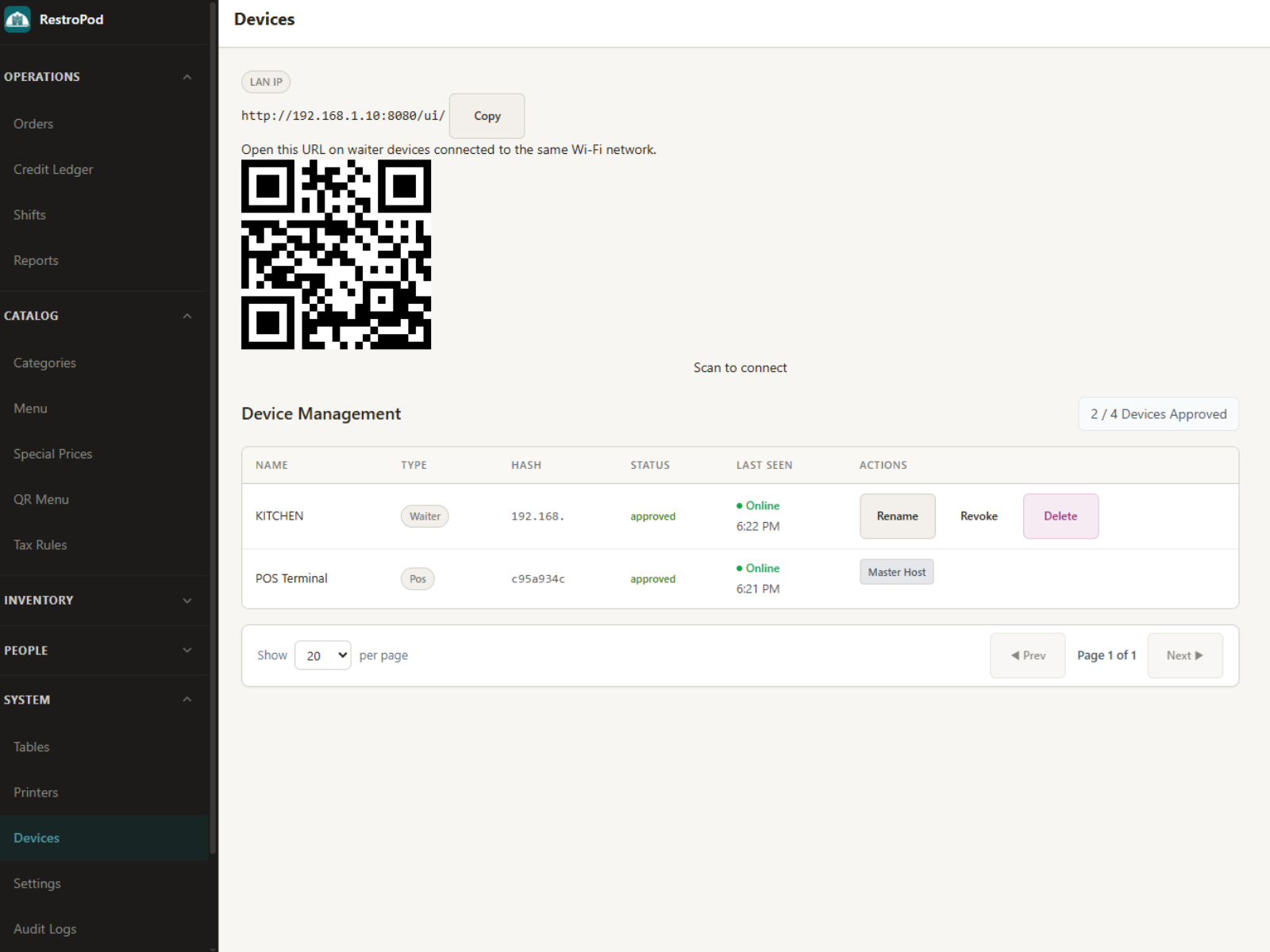
Local device pairing and role approval from the primary POS.
Core capabilities
Each area solves a specific restaurant operation. Together they give your team one consistent workflow from order entry to payment, stock and reporting.
Handle table orders, bill splits, table merges, tips and manager-controlled discounts.
Learn more
Map raw materials to menu items so stock deductions can follow what is actually sold.
Learn more
Build menu categories, modifiers and add-ons for different restaurant service styles.
Learn more
Keep payment collection, bill calculations and operational controls together at the point of sale.
Learn more
Send kitchen orders to the right preparation station and track their progress on kitchen displays.
Learn more
Show live order items and billing totals to guests at the counter.
Learn more
Publish digital menus with responsive layouts and keep menu information connected to your POS setup.
Learn more
Manage supported third-party delivery orders alongside your restaurant operations.
Learn more
Review sales, tax, discounts and operational figures from the restaurant system.
Learn more
Keep customer visit history and loyalty information available for retention workflows.
Learn more
Use Admin, Manager, Cashier, Waiter and Kitchen roles to control operational access.

Keep the operational database local with backup and restore utilities.
See it in operation
A closer look at the workflows restaurant teams use during a real service.
Kitchen service
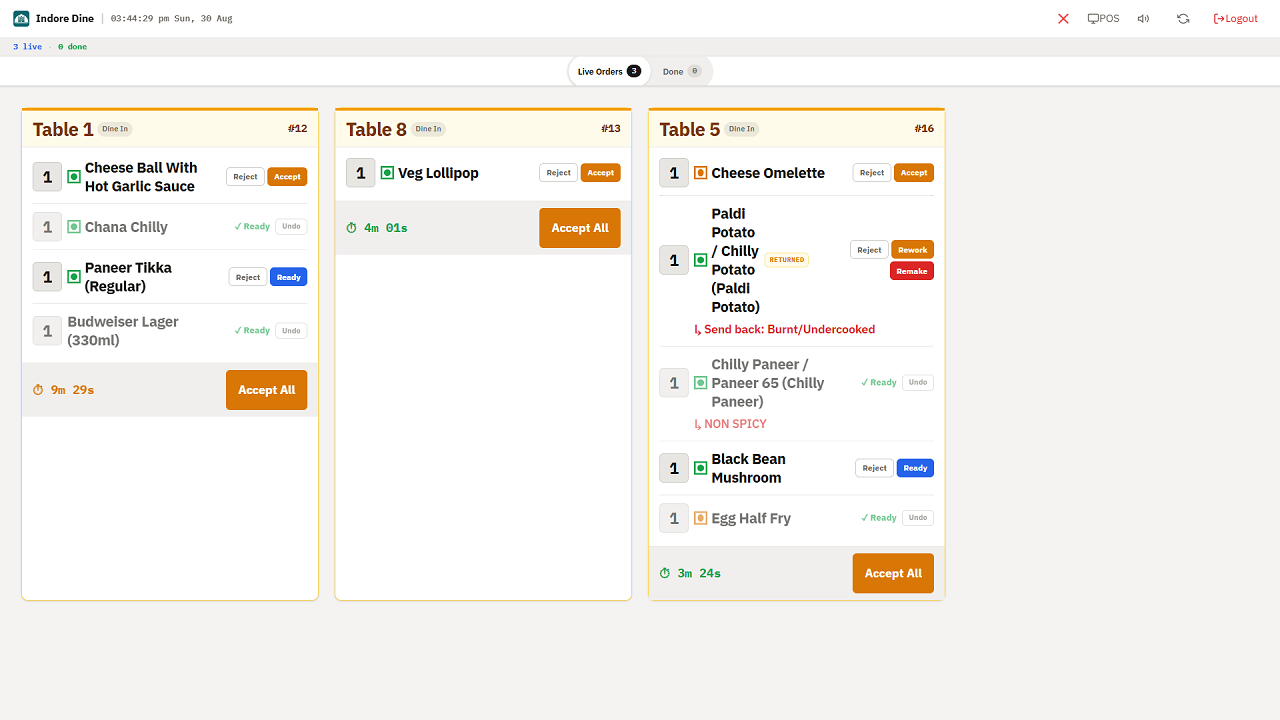
Send orders from the POS or waiter device to the right kitchen workflow. KDS keeps tickets visible to the team so preparation can move without relying on handwritten KOTs.
Management
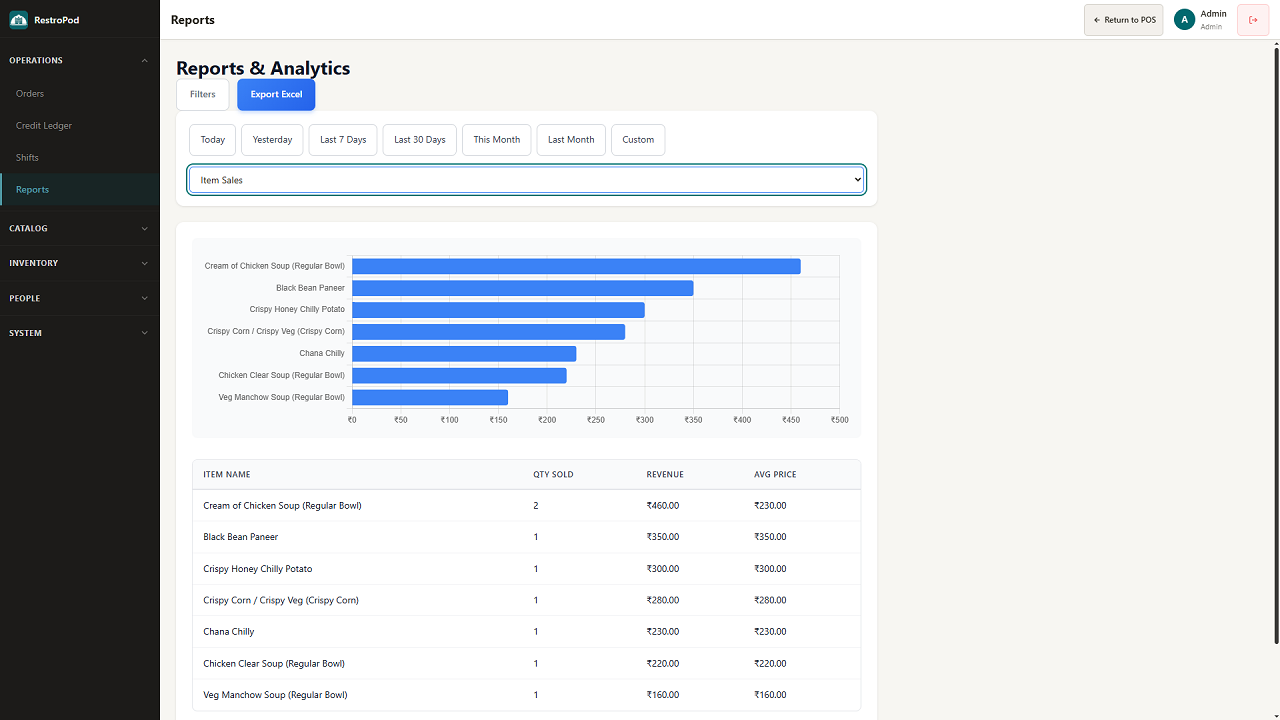
Review sales, tax information and operational performance from the reporting tools. Local POS data remains available for day-to-day reporting even when the internet is unavailable.
Billing
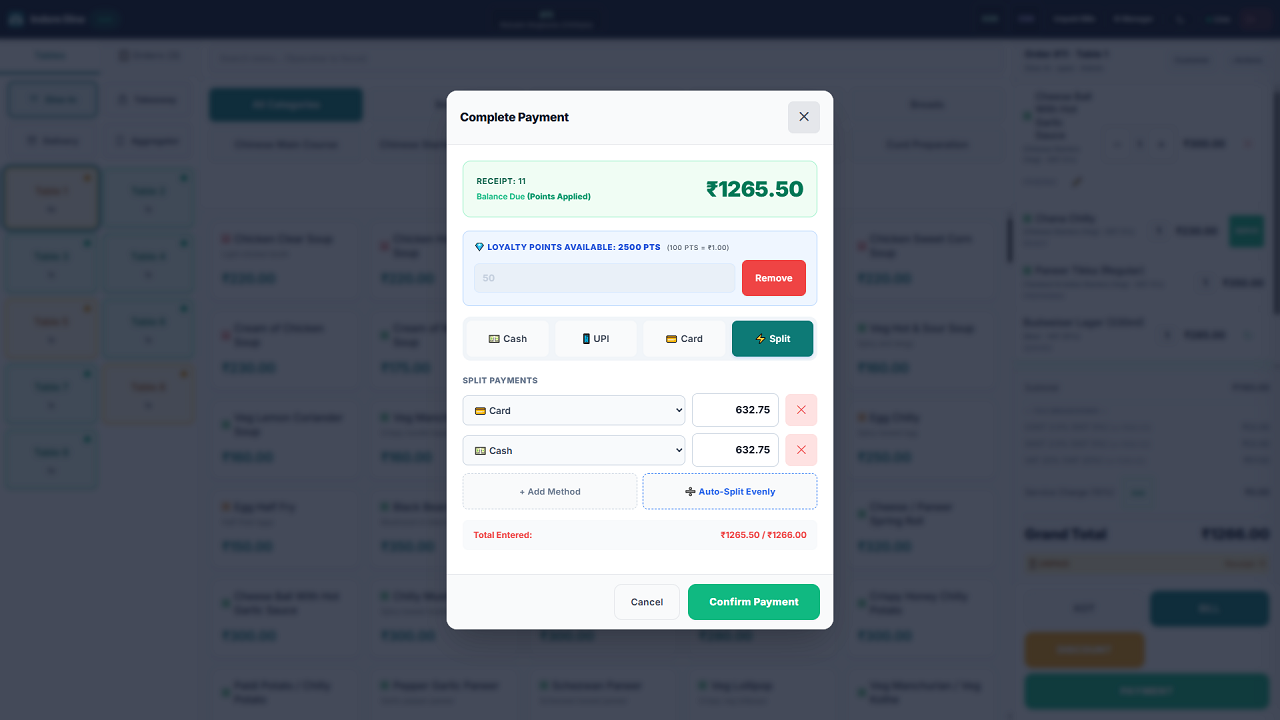
Handle split bills, table merges, discounts, tips and GST calculations without leaving the POS workflow.
Offline-first, clearly explained
RestroPod keeps day-to-day POS work on your devices. Online services are handled separately, so a temporary connection problem does not turn the counter into a waiting screen.
Billing, order entry, local device communication and other core POS work continue through the local application and LAN.
When your plan uses these services, selected payloads can queue locally during an outage and sync automatically when internet access returns.
RestroPod requires a license check through the internet at least once within 5 days. This is separate from normal local POS operation.
Staff access
Separate operational roles keep everyday work simple while sensitive actions stay controlled.
System and highest-level controls
Operational approval and management actions
Billing and payment workflow
Order and table service workflow
Kitchen order preparation workflow
Common questions
Ready when your restaurant is
Choose the plan that fits your operation, install the POS and start with the modules your team actually needs.